boost mobile phone help | cellphone s | cellphone sale | cellphones | cheap smartphones for sale | help desk mobile app | htc mobile help | latest cellphones | lg mobile service | mobile help | mobile help center | mobile help now | mobile phone help | mobile phone service | mobile service | mobile service desk | mobile service online | mobile service providers | mobile service tools
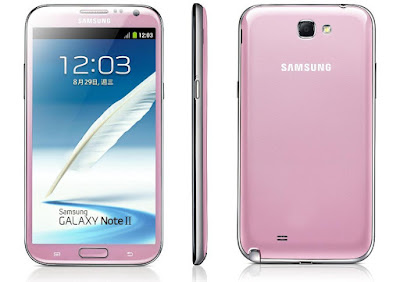
Samsung galaxy Not 2 GT-N7100 WCDMA BAND8 TX 3G Network Not Working Solution Schematic Circuit,Diagram
Samsung galaxy Not 2 GT-N7100 WCDMA BAND8 TX 3G Network Not Working Solution Step By Step
Step 1
U100 PIN11 : About30dBm ?
CHECK soldered- RFS100,C103, L102C107,L100,ANT100Resolder or changeU100, C101Check the Voltage atC101 = VDD_2V85_SUE2 ?Step 3
Check L134 :About 22dBm ?
Resolder or changeL134Step 4
Check componentsoldering status OK atF100
Resolder or changeF100Step 5
Check C143 :About 22dBm ?
Resolder or changeC143Step 6
Check the Voltage atR105,C134=VOUT_CHARGER?
Resolder or changeU103, R105,C134Step 7
Check C124,C139About 0dBm ?
Resolder or changeC124,C139Step 8
Check the voltage at{C150 = VOUT_CHARGER ?}& {C165, C166, C167 =VOUT_CHARGER?}& {C149, C174 = 2.85V ?}& {C144, C172 = 2.65V ?}& {C148, C177 = 1.8V?}& {C147, C175, C173 = 1.2V?}
Resolder or changeU104Step 9
Check the freq. atOSC100 PIN 1,3: 26MHz ?
Change or resolderOSC100Step 10
WCDMA BAND8 Transmitter is O.K?Resolder or changeUCP300Step 11
ENDUnofficial Support Site For This Phone By welcome Zone Haldwani
HOME
Search Tags
Samsung Galaxy Not 2 GT-N7100 WCDMA BAND8 TX TX 3G Network not working Solution
Samsung Galaxy Not 2 GT-N7100 WCDMA BAND8 TX TX 3G Network Not Signal Solution
Samsung Galaxy Not 2 GT-N7100 WCDMA BAND8 TX TX 3G Network Error Solution
Android App For This Site
Samsung Usb Drivers
Facebook Page
Do You Want More Update Click Here And Like This Page
Samsung Galaxy Note 3 SM-N900 DCS/PCS TX Network not Working Solution Schematic, Diagram ,Circuit
Samsung Galaxy Note 3 SM-N900 DCS/PCS TX Network not Working Solution Step by Step
Step 1
F100 PIN 4 :
About 30dBm ?
CHECK soldered
- CN100, L100, C104
Check F100 PIN 6
About 30dBm
Step 3
Check the Voltage at
C166 = VBATT ?
Resolder or change
C104, L110
Step 4
Check component
soldering status OK at
F101
Step 5
Check F101 PIN 10
About 30dBm ?
Step 6
Check U101 PIN 24
About 10dBm?
Step 7
Check the freq. at
OSC100 PIN 4 : 26MHz ?
Step 8
Check component
soldering status ok at
U103
Step 9
DCS/PCS Transmitter is O.K?
Unofficial Support Site By welcome Zone Haldwani
HOME
Search Tags
Samsung Galaxy Note 3 SM-N900 DCS/PCS TX Network not working Solution
Samsung Galaxy Note 3 SM-N900 DCS/PCS TX Network not Connect Solution
Samsung Galaxy Note 3 SM-N900 DCS/PCS TX Network not Support Solution
Android App For This Site
Samsung Usb Drivers
Facebook Page
Do You Want More Update Click Here And Like This Page
Samsung galaxy Not 2 GT-N7100 WCDMA BAND5 TX 3G Network Not Working Solution Schematic,Circuit,Diagram
Samsung galaxy Not 2 GT-N7100 WCDMA BAND5 TX 3G Network Not Working Solution Step by Step
Step 1
U100 PIN11 : About
30dBm ?
CHECK soldered
- RFS100,C103, L102
C107,L100,ANT100
Resolder or changeCheck the Voltage atC101 = VDD_2V85_SUE2 ?Step 3
Check C118,L107 :About 22dBm ?
Resolder or changeC118,L107Step 4
Check componentsoldering status OK atF100
Resolder or changeF100Step 5
Check L138,L111 :About 22dBm ?
Resolder or changeL138,L111Step 6
Check the Voltage atR105,C134=VOUT_CHARGER?
Resolder or changeU103, R105,C134Step 7
Check C124,C139About 0dBm ?
Resolder or changeC124,C139Step 8
Resolder or changeU104NO{C150 = VOUT_CHARGER ?}& {C165, C166, C167 =VOUT_CHARGER?}& {C149, C174 = 2.85V ?}& {C144, C172 = 2.65V ?}& {C148, C177 = 1.8V?}& {C147, C175, C173 = 1.2V?}
Resolder or changeU104Step 9
Change or resolderOSC100Check the freq. atOSC100 PIN 1,3: 26MHz ?Step 10
WCDMA BAND5 Transmitter is O.K?
Resolder or changeUCP300Step 11
ENDUnofficial Support Site For This Phone By welcome Zone Haldwani
HOME
Search Tags
Samsung Galaxy Not 2 GT-N7100 WCDMA BAND5 TX 3G Network not working Solution
Samsung Galaxy Not 2 GT-N7100 WCDMA BAND5 TX 3G Network Not Signal Solution
Samsung Galaxy Not 2 GT-N7100 WCDMA BAND5 TX 3G Network Error Solution
Android App For This Site
Samsung Usb Drivers
Facebook Page
Do You Want More Update Click Here And Like This Page
Samsung Galaxy Note 3 SM-N900 GSM850/GSM900 TX 2G Network not Working Solution Schematic , Diagram , Circuit
Samsung Galaxy Note 3 SM-N900 GSM850/GSM900 TX 2G Network not Working Solution Step by Step
Step 1
F100 PIN 4 :
About 30dBm ?
CHECK soldered
- CN100, L100, C104
Check F100 PIN 6
About 30dBm
Step 3
Check the Voltage at
C104 = VBATT ?
Resolder or chan
C104, L110
Step 4
Check component
soldering status OK at
F101
Step 5
Check F101 PIN 9
About 30dBm ?
Step 6
Check U101 PIN 4
About 30dBm ?
Resolder or change
L112, C139
Step7
Check U101 PIN 26
About 10dBm?
Step 8
Check the freq. at
OSC100 PIN 4 : 26MHz ?
Step 9
Check component
soldering status ok at
U103
Step 10
GSM850/900 Transmitter is O.K?
Samsung Note 3 N900 GSM 850 GSM 900 TX Solution
 |
Unofficial Support Site By welcome Zone Haldwani
HOME
Search Tags
Samsung Galaxy Note 3 SM-N900 GSM850/GSM900 TX 2GNetwork not working Solution Samsung Galaxy Note 3 SM-N900 GSM850/GSM900 TX 2GNetwork not Connect Solution Samsung Galaxy Note 3 SM-N900 GSM850/GSM900 TX 2G Network not Support Solution
Android App For This Site
Samsung Usb Drivers
Facebook Page
Do You Want More Update Click Here And Like This Page |
Samsung galaxy Not 2 GT-N7100 WCDMA BAND2 TX 3G Network Not Working Solution Schematic,Circuit,Diagram
Samsung galaxy Not 2 GT-N7100 WCDMA BAND2 TX 3G Network Not Working Solution Step By Step
Step 1
U100 PIN11 : About
30dBm ?
CHECK soldered
- RFS100,C103, L102
C107,L100,ANT100
Resolder or change
U100, C101
Check the Voltage at
C101 = VDD_2V85_SUE2 ?
Step 3
Check L132 :
About 22dBm ?
Resolder or change
L132
Step 4
Check component
soldering status OK at
F100
Resolder or change
F100
Step 5
Check L137 :
About 22dBm ?
Resolder or change
L137
Step 6
Check the Voltage at
R105,C134=VOUT_CHARGER?
Resolder or change
U103, R105,C134
Step 7
Check C138, C121
About 0dBm ?
Resolder or change
C138, C121
Step 8
Check the voltage at
{C150 = VOUT_CHARGER ?}
& {C165, C166, C167 =
VOUT_CHARGER?}
& {C149, C174 = 2.85V ?}
& {C144, C172 = 2.65V ?}
& {C148, C177 = 1.8V?}
& {C147, C175, C173 = 1.2V?}
Step 9
Change or resolder
OSC100
Check the freq. at
OSC100 PIN 1,3: 26MHz ?
Step 10
WCDMA BAND2 Transmitter is O.K?
Resolder or change
UCP300
Step 11
END
Unofficial Support Site For This Phone By welcome Zone Haldwani
HOME
Search Tags
Samsung Galaxy Not 2 GT-N7100 WCDMA BAND2 TX 3G Network not working Solution
Samsung Galaxy Not 2 GT-N7100 WCDMA BAND2 TX 3G Network Not Signal Solution
Samsung Galaxy Not 2 GT-N7100 WCDMA BAND2 TX 3G Network Error Solution
Android App For This Site
Samsung Usb Drivers
Facebook Page
Do You Want More Update Click Here And Like This Page
Samsung galaxy Not 2 GT-N7100 WCDMA BAND1 TX 3G Network Not Working SolutionSchematic,Circuit,Diagram
Samsung galaxy Not 2 GT-N7100 WCDMA BAND1 TX 3G Network Not Working Step byStep
Step 1
U100 PIN11 : About
30dBm ?
CHECK soldered- RFS100,C103, L102C107,L100,ANT100Step 2
Check the Voltage atC101 = VDD_2V85_SUE2 ?
Resolder or changeU100, C101Step 3
Check L104 :About 22dBm ?
Resolder or changeL104Step 4
Check componentsoldering status OK atF100
Resolder or changeF100Step 5
Check C140,L136 :About 22dBm ?
Resolder or changeC140,L136Step 6
Check the Voltage atR105,C134=VOUT_CHARGER?
Resolder or changeU103, R105,C134Step 7
Check C138, C121About 0dBm ?
Resolder or changeC138, C121Step 8
Check the voltage at{C150 = VOUT_CHARGER ?}& {C165, C166, C167 =VOUT_CHARGER?}& {C149, C174 = 2.85V ?}& {C144, C172 = 2.65V ?}& {C148, C177 = 1.8V?}& {C147, C175, C173 = 1.2V?}
Resolder or changeU104Step 9
Check the freq. atOSC100 PIN 1,3: 26MHz ?
Change or resolderOSC100Step 10
WCDMA BAND1 Transmitter is O.K?
Resolder or changeUCP300Step11
END
Unofficial Support Site For This Phone By welcome Zone Haldwani
HOME
Search Tags
Samsung Galaxy Not 2 GT-N7100 WCDMA BAND1 TX 3G Network not working Solution
Samsung Galaxy Not 2 GT-N7100 WCDMA BAND1 TX 3G Network Not Signal Solution
Samsung Galaxy Not 2 GT-N7100 WCDMA BAND1 TX3G Network Error Solution
Android App For This Site
Samsung Usb Drivers
Facebook Page
Do You Want More Update Click Here And Like This Page
Martech Box III update V 0.1.2.2555
Unofficial support site By Welcome Zone Haldwani
Latest Update:
-BN0 881(FIS) Blaupunkt VW 7 612 002 010 1K0 035 191A
-Concert CD Grundig Audi 8E0 035 186NX
-INE-S900R Alpine
-Radio Navigation System Blaupunkt VW 7 612 001 019 4B0 035 192M
-RNS 315 EU Technisat VW 3C8 035 279F
-Symphony II,CQ-EA1370L Panasonic Audi 8E0 035 195M
How to update Box III? Run martech_ams3.exe or download:
http://box3.martech.pl/martech ams3.exeCheck supported models and functions in demo version:
http://box3.martech.pl/martech_ams3 exe